So far in this series, we’ve built the foundation of your online brand: you have a name, a professional email, a website, and a brand identity. You have a beautiful “house” on your own plot of land. What’s missing is an Email List.
Now, and perhaps most importantly of all, we need to install the welcome mat. Yes, all the things we have covered in the last few posts were important, but I can not stress the importance of having a good mailing list and how to use it.
In the world of online business, there is one asset that is more valuable than your social media following, more important than your website traffic, and more critical to your long-term success than anything else: your email list.
Your email list is the only direct, unfiltered line of communication you have with your audience.
It’s an asset you own and control, immune to algorithm changes and platform shutdowns. It is the core of your business.
If you lose your Tiktok or Instagram account it will take a lot of work to start them from scratch again (and it’s too easy to get banned on these platforms).
Your Email list though can not be banned, it belongs to you and will always be yours. No random algorithm change will alter that.
But starting an Email list can feel technical and intimidating. In this workshop, I’m going to demystify the entire process.
I’ll explain why I chose a tool called MailerLite to start for free, and I will give you a complete, click-by-click tutorial on how to set up your account, create your first subscriber group, and build the automated “welcome email” that delivers your lead magnet.
Why Your Email List is More Important Than Social Media
Before we get into the “how,” let’s be crystal clear on the “why.” You might have 10,000 followers on TikTok, but you don’t own that audience. The platform does. They can change the algorithm tomorrow and your reach could vanish. Instantly.
Your email list is different. It’s a direct relationship between you and your customers because:
- You Own It: It’s a list of people who have explicitly given you permission to contact them.
- It’s Direct: There’s no algorithm deciding who sees your message.
- It Builds Deep Trust: The inbox is a personal space. Earning a spot there is the ultimate sign of trust and a powerful way to build a community.
- It’s The Best Platform You Have: Providing you follow spam rules it will never be taken by someone else.
Choosing Your Toolkit:
Why I Started with MailerLite
The Generous Free Plan:
It’s completely free for your first 500 subscribers. This gives you more than enough runway to build your audience before you ever have to spend a penny.
Beginner-Friendly Interface:
The platform is clean, modern, and intuitive. Their automation builder is simple and visual.
It Has Everything You Need:
The free plan includes automation, sign-up forms, and everything you need to get started professionally.
The Step-by-Step Guide to Setting Up Your MailerLite Account
Okay, let’s get our hands dirty. I’m going to walk you through the entire setup process.
The first thing you need to understand about platforms like MailerLite is that they are all really hot on anti-spam. Why? Because it’s the law.
If you want to read more about the legalities of both you can see them at the following sites:
With the legalities out the way, let’s get you started with your sign up at MailerLite.
Step 1: Signing Up and Getting Approved
First you need to visit the Mailerlite home page to open your account.
You start with a free trial that gives you access to some of the advanced features that are not available on the free plan.
When this runs out your account will automatically revert to the free plan, but don’t worry.
Any work you do like setting up your emails and automations will still be there.
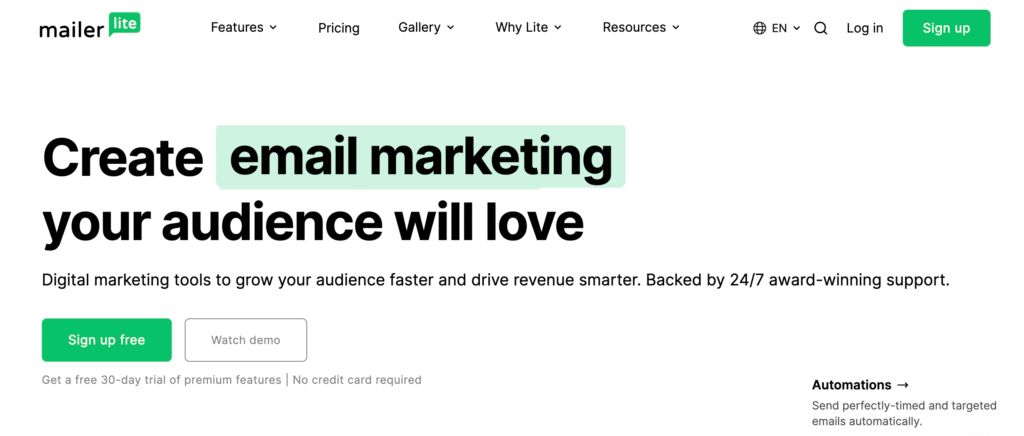
Next, click Sign Up for Free and then you need to just follow the prompts fiven to you:
- Enter the name of your Company or Organization.
- Enter your Email address.
- Enter a strong Password.
- Click Create my account.
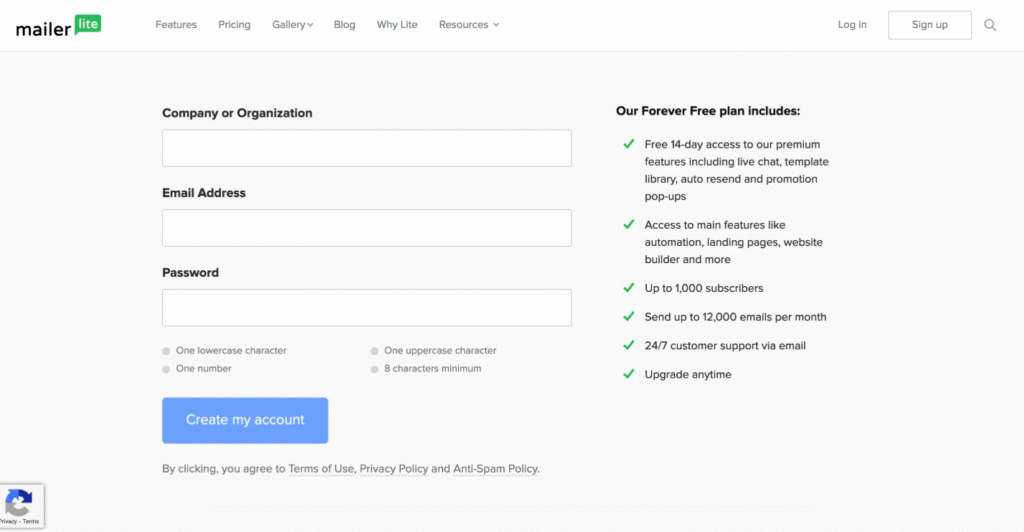
You will need to sgree to the terms and conditions for the account and also agree to the Anti-Spam rules.
You should receive an email asking you to confirm your email address (don’t forget to use your new business email you created earlier).
Once your account is created, you can begin testing out MailerLite’s features. However, you will not be able to send a campaign or publish a website until your account has been approved.
What is approval?
Getting your account approved is just mailerlite checking all the details of your account and asking you some questions about your business.
This is nothing to worry about!
Next step is to complete your profile, and then submit your details for the approval.
Just follow the next procedure by:
- Go to the Dashboard.
- Under the “Complete profile” step, click Complete.
- Fill in your organization’s information.
- Click Next step.
- Fill in your business details. Be sure to read the Anti-Spam Policy.
- Click Next step.
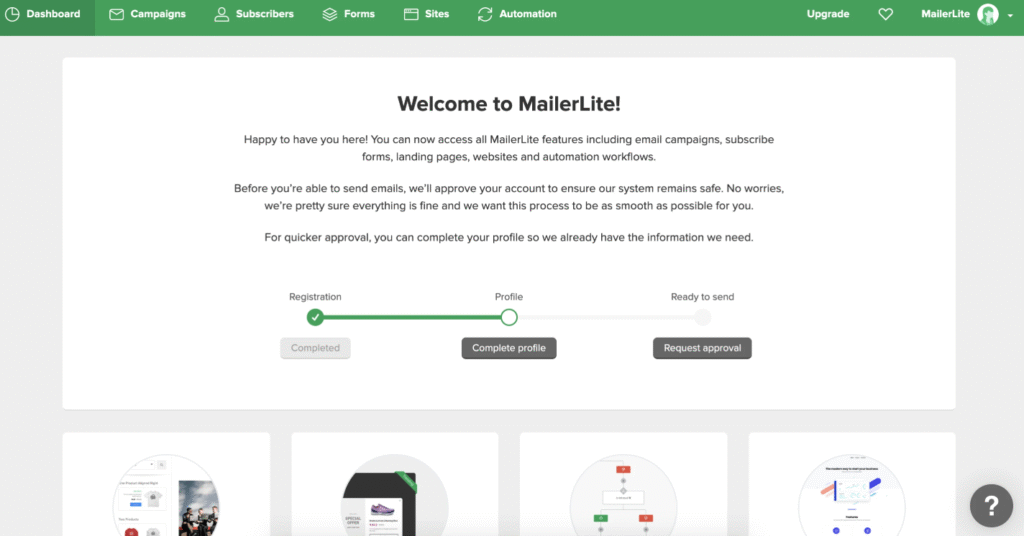
You can then make your approval request.
When filling out the confirmation/approval form, your answers will be reviewed by a MailerLite account manager, so clarity is key.
Information you need to Provide:
1. Subscriber Collection: Indicate whether you currently have subscribers and precisely how you collect them. If existing options aren’t sufficient, select Other and provide the details.
2. Content Description: Specify the type of content you plan to send in newsletters or publish on sites/landing pages.
Tip: Vague answers like “emails” or “text and images” are less likely to be approved right away.
For example, state: “eBooks related to a fitness program,” or “new product updates for a clothing store.
Option 1: Requesting Approval With a Website (Fastest)
While you do not need a website to use MailerLite, providing one can expedite approval.
1. Enter your website domain.
3. A verification email is sent to your domain email. Once verified, your account is automatically submitted for review.
Option 2: Requesting Approval Without a Website
If you don’t have a website, you can select the option I don’t have my own website.
1. Provide the link to your social media page in the Social media URL field.
2. In the field labeled Tell us about your business, provide a clear description of your business, including any relevant links that help explain your organization.
Ensure your answers are clear and informative to give the reviewer a clear understanding of your business.
What Happens Now?
On completion of your approval process you will receive an email with the decision. This process can take up to 24 hours.
If you receive a negative decision, don’t panic! Mailerlite will tell you what they need to complete the approval. Just log back into your account and provide the required details and subit it again for review.
When your account gets approved you have completed the first phase of your Email marketing journey! Congratulations!
Next Steps:
I’m going to leave the journey of discovery of Mailerlite’s features up to you.
Why? Well, for me there is nothing better than paractical experience, it so often outweighs a long list of exam results.
To get you started you need to do these three things:
- Import any Contacts you have.
- Create groups for things like newsletters and sales campaigns:
- Create your email templates
Details about this and other help pages are available here.
Remember: Take your time when creating all your email marketing set ups. Don’t be afraid to make mistakes, I believe that by Doing It you will learn faster and retain the information better than watching a hundred video tutorails, (but these can be useful).